MCP Server Cards: How AI Clients Find Your MCP Server
An MCP Server Card tells AI clients where your remote MCP server is. How /.well-known/ai-catalog.json works, and 8 sites tested: only github.com passes.
By — CTO, ERPFit
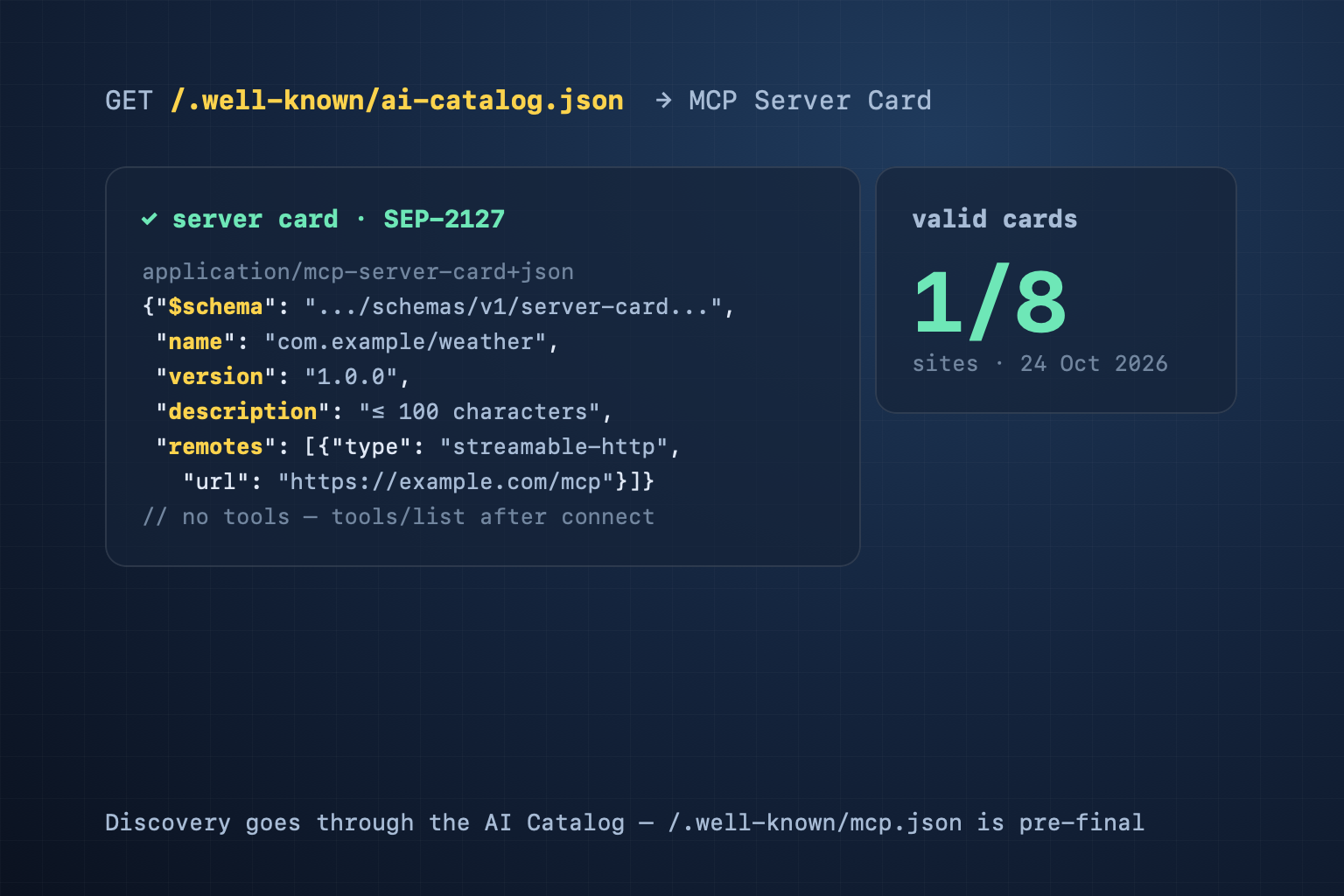
Short answer: an MCP Server Card is a small JSON file that tells an MCP client (Claude, an IDE, an agent) where your remote MCP server is and how to connect — before it connects. Under SEP-2127 (final since 6 October 2026), clients find the card through an AI Catalog at /.well-known/ai-catalog.json, served as Content-Type: application/ai-catalog+json. The card needs four fields: $schema, name, version and description (at most 100 characters), plus a remotes array with the server's URL. It lists no tools.
What problem an MCP Server Card solves
MCP (Model Context Protocol) is how an AI client calls a service's tools. For a remote MCP server, users today copy the URL into each client by hand, then work out which auth header it wants. The client only learns what the server supports after it has connected.
SEP-2127 adds a step before the connection. The client takes a domain, reads the catalog, then reads the card: the server URL, the transport, the headers it needs. The client can set itself up, and registries can index the server. It works like an API catalog does for APIs (see our API catalog guide) and Agent Skills do for skills (see our Agent Skills Discovery post).
Two files: the catalog and the card
This is GitHub's catalog, fetched on 24 October 2026:
GET https://github.com/.well-known/ai-catalog.json
Content-Type: application/ai-catalog+json

{"specVersion": "1.0",
 "entries": [
  {"identifier": "urn:air:github.com:mcp:github-mcp-server",
   "type": "application/mcp-server-card+json",
   "url": "https://api.githubcopilot.com/mcp/server-card"}
 ]}
The entry points to a card on another host. The card (shortened):
{"$schema": "https://static.modelcontextprotocol.io/schemas/v1/server-card.schema.json",
 "name": "io.github.github/github-mcp-server",
 "version": "github-mcp-server/remote-792df72d…",
 "title": "GitHub",
 "description": "Connect AI assistants to GitHub - manage repos, issues, PRs, and workflows through natural language.",
 "remotes": [{"type": "streamable-http", "url": "https://api.githubcopilot.com/mcp/"}]}
The main rules in the spec:
- The catalog has a
specVersionand anentriesarray. An MCP entry has thetypeapplication/mcp-server-card+json, anidentifier, and exactly one ofurl(the card is elsewhere, on any host) ordata(the card inline). $schemamust be exactly the/v1/server-card schema URL.nameisnamespace/namewith one slash; the namespace is usually your domain reversed, such ascom.example.versionis one version, not a range such as^1.2.0.descriptionis 1–100 characters.remoteslists the endpoints. Each has atype(streamable-httporsse) and aurl.- A required header, such as an API key, goes in the remote's
headersand can be markedisSecret. - The reserved default location for a card is
<your MCP URL>/server-card.
Why the card has no tools list
Many older drafts put a tools list in the file. SEP-2127 removes it on purpose. Tools, resources and prompts can differ by user, session, configuration and enabled features. A static file cannot describe that correctly, and a client could rely on wrong data when it decides on access. So the client gets tools with tools/list after it connects, as the signed-in user. The card answers only: where to connect, and how.
We checked 8 sites
On 24 October 2026 we ran the CiteStat scan's judge (packages/core/mcp-server-card.ts) on 8 sites:
| Site | Result | Severity |
|---|---|---|
| github.com | Pass — catalog → card on api.githubcopilot.com, 1 remote | Pass |
| developers.cloudflare.com | Right catalog, 7 remotes, but the card's description is 355 characters (max 100) | Medium |
| blog.cloudflare.com | Card at the pre-final path /.well-known/mcp/server-card.json, no catalog; description 131 characters | Low |
| isitagentready.com | Pre-final path, the old serverInfo shape, a tools list | Low |
| vercel.com | A catalog with 6 entries, none of them an MCP card | Low |
| citestat.com (before our fix) | Only the old /.well-known/mcp.json | Low |
| erpfit.com | None | Low |
| docs.stripe.com | None | Low |
On 24 October 2026, 1 of the 8 sites (github.com) published a valid MCP Server Card; developers.cloudflare.com failed on a 355-character description. A repeat run the same minute hit network timeouts, which our judge then reported as absent files; the table shows the first, complete run. The other findings:
- developers.cloudflare.com has the right flow and one wrong field. The developers.cloudflare.com catalog lists its OpenAPI file, its Agent Skills index, llms.txt and an MCP card. The card points to 7 servers, but its description is 355 characters. The v1 schema allows 100, so a client that validates the schema rejects the card.
- Vercel has a catalog but no card. Its only MCP entry is the OAuth metadata of mcp.vercel.com, typed
application/json. A SEP-2127 client picks only entries typedapplication/mcp-server-card+json, so it finds no server. - An agent-readiness checker still uses the old path. isitagentready.com puts its card at
/.well-known/mcp/server-card.json, from an earlier SEP-2127 draft, and still asks for that path when it grades other sites. The final spec does not put the card there.
Which clients read the catalog today?
As of 24 October 2026 we found no major MCP client that documents reading /.well-known/ai-catalog.json on its own. The official C# SDK has only a tracking issue (#1912). Some servers are ahead: GitHub publishes a valid card and developers.cloudflare.com a catalog, but 6 of the 8 sites we tested publish no valid card. Publishing now costs one JSON file; the payoff depends on client adoption.
Our own mistake
Until 24 October 2026 the CiteStat scan got this check wrong in both directions. It passed any JSON at /.well-known/mcp.json or mcp-server.json and never read the AI Catalog. The result: github.com was reported as having no card, while citestat.com passed on an mcp.json that gave its transport as stdio only — although we run a Streamable HTTP server at /api/mcp. We rebuilt the judge on SEP-2127 and published our own catalog: the card sits inline (data), points to /api/mcp, and declares the Authorization header as required and secret. An automated test runs the scan's judge on that catalog.
How to publish a card in three steps
- Write the card. The v1
$schema, anamesuch ascom.example/server-name, theversionyour server returns oninitialize, adescriptionunder 100 characters, andremoteswith the real URL. If you need an API key, declare it inheaders. - Place the card at
<your MCP URL>/server-cardasapplication/mcp-server-card+json, or embed it in the catalog withdata. - Write the catalog at
/.well-known/ai-catalog.jsonasapplication/ai-catalog+json, with one entry that has anidentifier(such asurn:air:example.com:mcp:server-name) and thetypeapplication/mcp-server-card+json. Turn on CORS (Access-Control-Allow-Origin: *) so browser-based clients can read it.
If you have no remote MCP server, leave this out. A server that runs only locally (stdio) has nothing a client can connect to over the network.
What CiteStat checks
On the Agent Readiness card the scan reads /.well-known/ai-catalog.json, picks the MCP entries and reads up to 5 cards (inline, or fetched from the url — public addresses only). It passes when one card is valid against the v1 schema and lists at least one remote. A broken catalog or a card that breaks the schema is medium. A card with no remote, a catalog with no MCP entry, or a file only at a pre-final path is low. None of it changes the headline SEO score. You can run the check on your own site for free, 10 scans a day; if you check client sites every week, the Pro plan gives 100 scans a day for 500,000₫/month (excl. VAT) — see pricing.
Frequently asked questions
Does a site without an MCP server need a card?
No. A card describes a remote MCP server a client can connect to. With no server there is nothing to describe, and an invented card is worse than none. That is why the CiteStat scan reports a missing card only as a low finding.
Why does a card not list tools?
Because tools can differ by user and session, the client gets them with tools/list after it connects. SEP-2127 leaves tools, resources and prompts out of the card on purpose.
Can I keep /.well-known/mcp.json?
You can, for old clients, but it does not replace the AI Catalog. The mcp.json proposal (SEP-1649) was closed, and a client that follows SEP-2127 reads only /.well-known/ai-catalog.json. We keep our old file and publish the card in the catalog.
Does an MCP Server Card improve Google rankings?
Google's documentation does not mention MCP Server Cards. A card helps MCP clients set themselves up; it is not a ranking signal. The CiteStat scan counts it on the Agent Readiness card only; the headline SEO score stays the same.
Sources: SEP-2127: MCP Server Cards (Final, merged 6 October 2026) · ext-server-card (schema.ts, docs/discovery.md) · AI Catalog · RFC 8615 (Well-Known URIs). Data for the 8 sites: fetched 24 October 2026.