AI Crawlers and robots.txt: Should You Block GPTBot and ClaudeBot?
What GPTBot, OAI-SearchBot, ClaudeBot, PerplexityBot and Google-Extended actually do, which ones affect AI search, and the User-agent grouping trap that makes robots.txt do what you never meant.
By — CTO, ERPFit
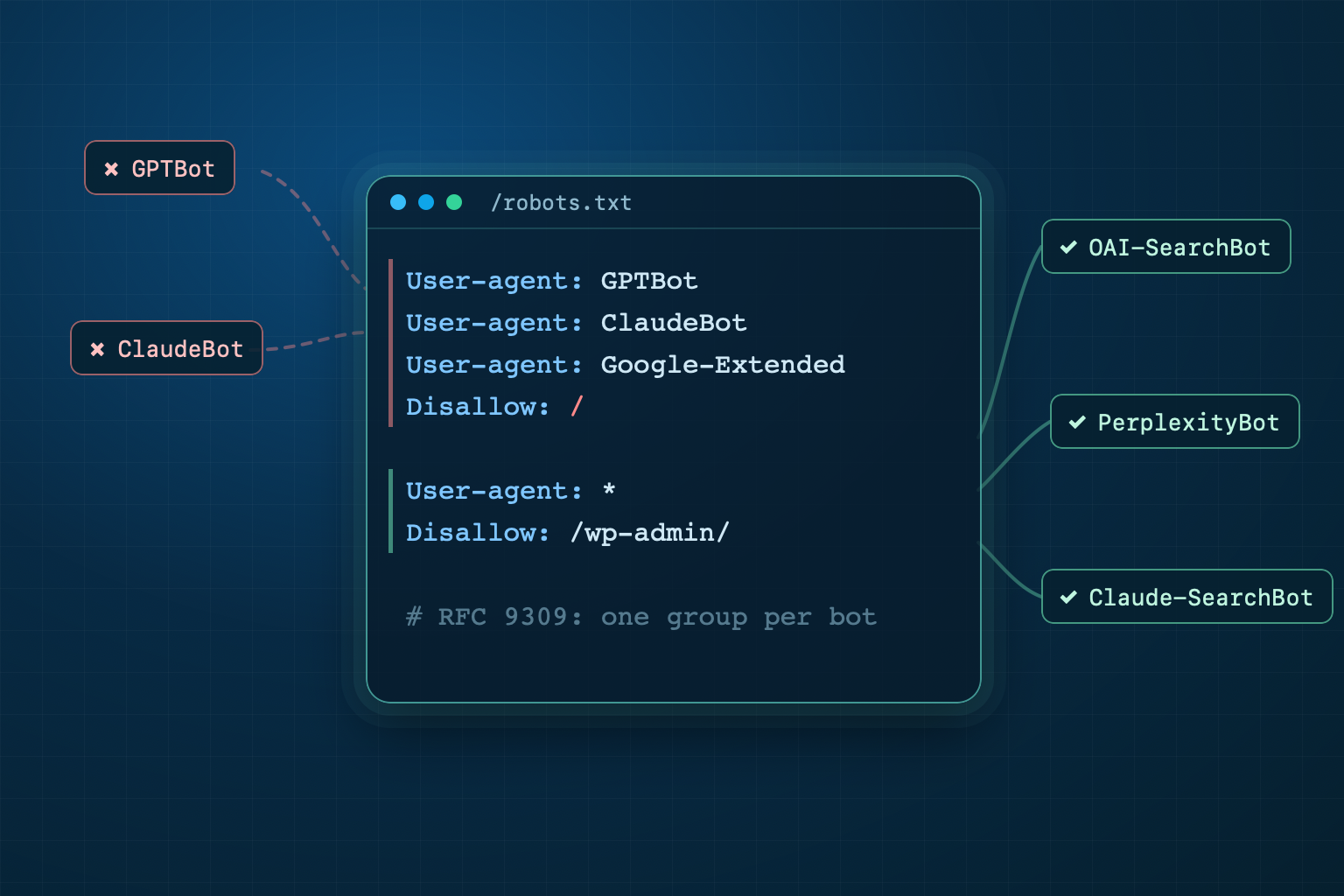
Short answer: most websites should allow the AI search bots (OAI-SearchBot, Claude-SearchBot, PerplexityBot) and make a separate decision about the training bots (GPTBot, ClaudeBot, Google-Extended, CCBot). The two are independent: blocking training does not remove you from ChatGPT search or from Google. The real risk is elsewhere: the way robots.txt groups User-agent lines makes many files do something the site owner never meant.
Key Takeaways
- Each AI vendor runs 2-3 bots with different jobs: training, search indexing, and user-initiated fetches.
- Google-Extended does not affect inclusion in Google Search and is not a ranking signal (Google, 2026).
- A crawler obeys exactly one robots.txt group: the most specific one that matches it (RFC 9309). Adding
User-agent: GPTBot+Allow: /also opens the folders your*group blocks. - robots.txt is voluntary: OpenAI's and Perplexity's user-initiated fetchers may not follow it.
Which AI crawlers visit your website?
AI crawlers are bots run by AI companies that read web pages to train models, build an index for an AI search engine, or fetch a page when a user asks. The table below is compiled from each vendor's official documentation (October 2026):
| Vendor | robots.txt token | Job | Follows robots.txt? |
|---|---|---|---|
| OpenAI | GPTBot | Model training | Yes |
| OpenAI | OAI-SearchBot | ChatGPT search index | Yes (takes ~24 hours) |
| OpenAI | ChatGPT-User | Fetches a page a user asked for | "May not apply" |
| Anthropic | ClaudeBot | Model training | Yes |
| Anthropic | Claude-SearchBot | Claude search index | Yes |
| Anthropic | Claude-User | Fetches a page when a user asks | Yes |
| Perplexity | PerplexityBot | Search index (no training) | Yes |
| Perplexity | Perplexity-User | Fetches a page when a user asks | "Generally ignores" |
Google-Extended | Control token for Gemini use (not a separate bot) | Yes | |
| Apple | Applebot-Extended | Control token for training (does not crawl) | Yes |
| Common Crawl | CCBot | Open web archive, used by many models | Yes |
Sources: OpenAI, Anthropic, Perplexity, Google, Apple, Common Crawl.
Blocking training is not blocking search
This is the most common misunderstanding. OpenAI states that a site blocking GPTBot can still appear in ChatGPT search, because OAI-SearchBot controls that, and "each setting is independent." Block OAI-SearchBot instead, and your pages will not be shown in ChatGPT search answers, though they can still appear as navigational links.
Google's documentation says: "Google-Extended does not impact a site's inclusion in Google Search nor is it used as a ranking signal in Google Search." Google-Extended only decides whether content may train Gemini and ground Gemini's answers. Apple works the same way: Applebot-Extended does not crawl, and pages that disallow it can still be included in Apple's search results.
So the right question is not "block AI or not" but two separate ones: do you want to be cited in AI answers? (search bots) and do you agree to your content entering training data? (training bots). For a business or e-commerce site the first answer is almost always "yes", because that is a channel where customers find you. More on citability.
The User-agent grouping trap (RFC 9309)
Under RFC 9309, each crawler follows one group: the group whose User-agent line matches it most specifically. The * group applies only when no other group matches. Groups do not add up. Take this file:
User-agent: *
Disallow: /wp-admin/
Disallow: /cart/

User-agent: GPTBot
Allow: /
Many people read this as GPTBot getting "extra permission" on top of the general rules. In fact GPTBot now reads only its own group, so /wp-admin/ and /cart/ are no longer blocked for GPTBot. To keep them blocked, copy the Disallow lines into its group:
User-agent: GPTBot
Allow: /
Disallow: /wp-admin/
Disallow: /cart/
Three smaller details cause confusion too: consecutive User-agent lines share one group; an empty Disallow: means allow everything; and Disallow: /admin only blocks paths that start with /admin, not the whole site.
CiteStat itself got this wrong. Until 19 October 2026 our AI-crawler check searched robots.txt with a regular expression, so a Disallow: /wp-admin/ anywhere after a User-agent: GPTBot line counted as "GPTBot blocked", while the matching rule in our scoring engine could never fire at all. Both now read the file with RFC 9309 group matching, through the same robots.txt parser our own crawler uses.
Three robots.txt templates for your choice
1. Cited in AI search, no training
User-agent: GPTBot
User-agent: ClaudeBot
User-agent: Google-Extended
User-agent: Applebot-Extended
User-agent: CCBot
Disallow: /

User-agent: *
Disallow: /wp-admin/
OAI-SearchBot, Claude-SearchBot, PerplexityBot and Googlebot have no group of their own, so they use the * group: every page except /wp-admin/.
2. Allow everything (the most common)
User-agent: *
Disallow: /wp-admin/

Sitemap: https://example.com/sitemap.xml
You do not need to list every AI bot. Some tools recommend naming each bot with Allow: / to state intent; if you do, copy your Disallow lines across as shown above.
3. Block one bot completely
User-agent: Bytespider
Disallow: /
If a bot ignores robots.txt you need to block it at the server or CDN. Anthropic notes that IP blocking can stop its bot from reading your robots.txt at all, so start with robots.txt.
Check your robots.txt with CiteStat
When you scan a URL, CiteStat fetches robots.txt and reads it with RFC 9309 group matching for 10 AI tokens: GPTBot, OAI-SearchBot, ChatGPT-User, ClaudeBot, anthropic-ai, PerplexityBot, CCBot, Bytespider, Google-Extended and cohere-ai. The GEO / AI Visibility card lists each bot kept off the site root. The rules engine also checks whether the file names AI crawlers explicitly, alongside llms.txt and Agent Readiness.
The free plan includes 10 scans a day. If you manage several websites or need the full AI render report, see pricing: Pro is 500.000₫/month (excl. VAT) for 100 scans a day.