Modern Web Guidance on 10 Real Sites: What Even Chrome Skips
We checked 10 pages, Chrome's own included, for six Modern Web Guidance signals. Speculation rules 0/10, Trusted Types 0/10, and one-line fixes.
By — CTO, ERPFit
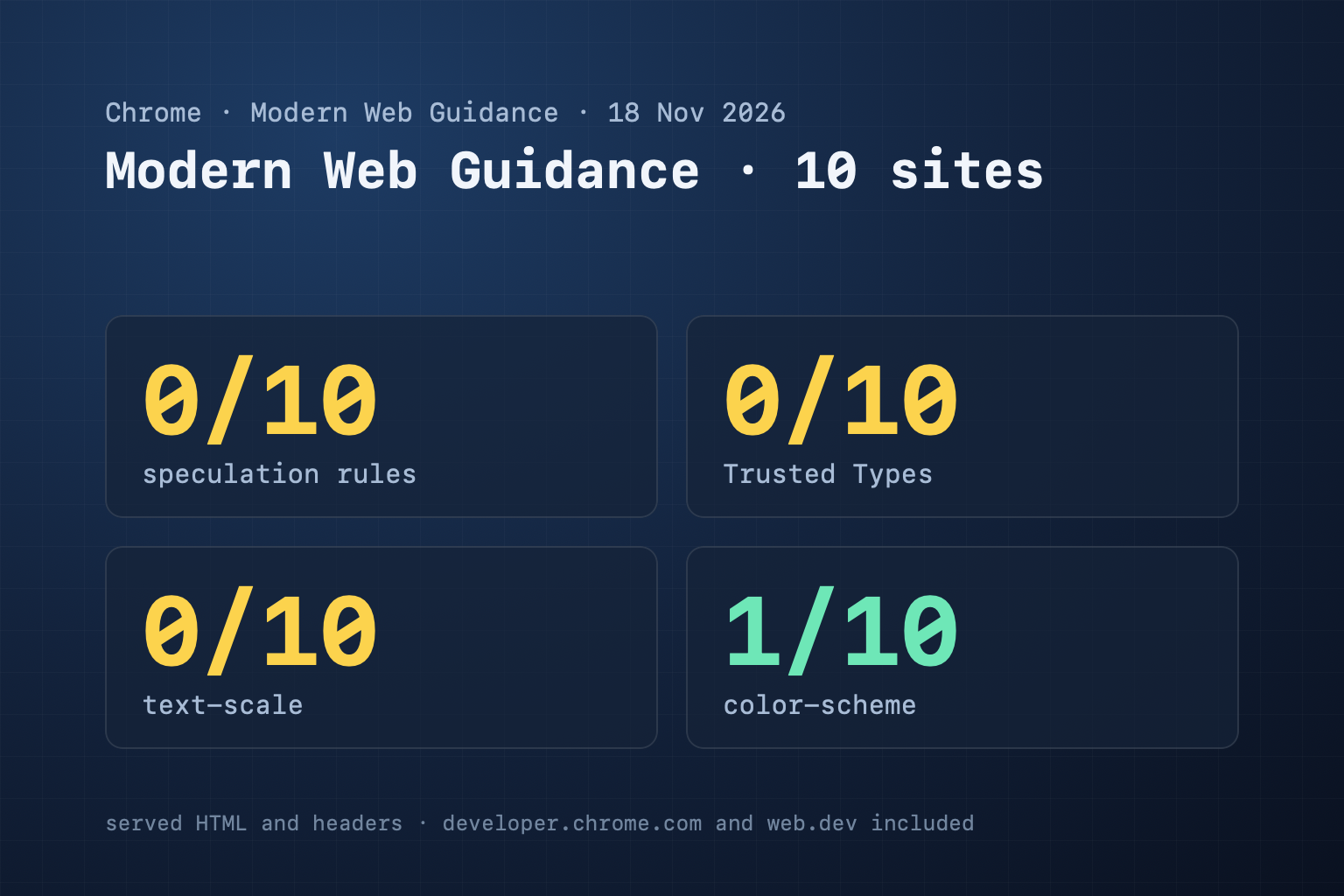
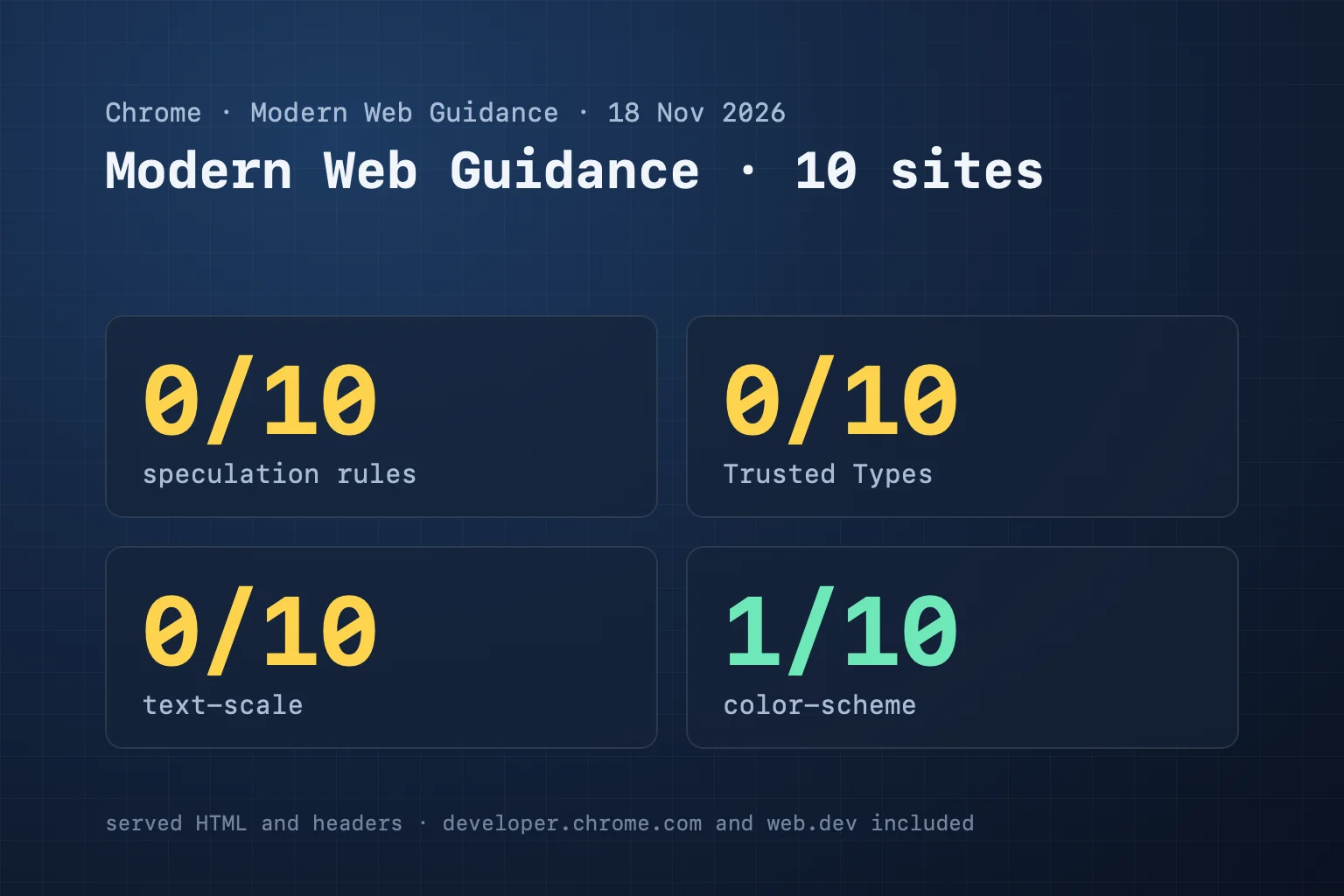
Short answer: we checked 10 public pages for six signals that Chrome's Modern Web Guidance asks for in a page's HTML or headers. No page used speculation rules, none enforced Trusted Types, none had the new text-scale tag, and only github.com/login declared a color-scheme. That includes developer.chrome.com and web.dev, the sites that publish the guidance. The guides are a week old and written for coding agents, so the gap is normal. It is also an easy head start: three of the six are one line each.
Key Takeaways
- None of the 10 pages used speculation rules or enforced Trusted Types (0 of 10); none had text-scale (0 of 10); only github.com/login declared a color-scheme (1 of 10).
- That includes developer.chrome.com and web.dev, the two sites that publish the guidance.
- Three of the six signals are one line each: color-scheme, text-scale and prefetch-only speculation rules.
- The most important finding is an old one: tiki.vn and thegioididong.com block pinch-zoom, which fails WCAG 1.4.4.
- In CiteStat only autocomplete scores (a warning, weight 2, only on pages with a sign-in field); the other five are report-only.
What we measured, and how
Modern Web Guidance is Chrome's set of guides for AI coding agents. Chrome shipped version 1.0 on 10 November 2026 with 208 guides, and Chrome's npm package reported version 1.0.1 with 209 guides when we checked on 18 November. Most guides are about code you cannot see from outside. Six leave a mark in the page a visitor receives, so a scanner can read them:
| Signal | Guide | What a page needs |
|---|---|---|
| Speculation rules | performance/improve-next-page-load-performance | <script type="speculationrules"> or a Speculation-Rules header |
| Trusted Types | security/trusted-types | CSP require-trusted-types-for 'script' |
| Autocomplete | forms/autofill-sign-in-form | every email, password, phone and username input has autocomplete |
| Color scheme | visual-design/dark-mode | <meta name="color-scheme"> |
| OS text scale | accessibility/respect-os-text-scale | <meta name="text-scale"> |
| Media preload | performance/lazy-load-video-and-audio | offscreen <video>/<audio> with loading="lazy" or preload="none"/"metadata" |
On 18 November 2026 we ran the CiteStat rules engine (the same code as a live scan, bun run mwg:measure) on 10 pages: two of ours, developer.chrome.com, web.dev, github.com/login, and five Vietnamese sites with heavy traffic. It reads the served HTML and the response headers. It does not run JavaScript, so a tag that a script adds later is not seen.
The results
| Page | Speculation | Trusted Types | Autocomplete | Color scheme | Text scale | Media |
|---|---|---|---|---|---|---|
| developer.chrome.com/docs/modern-web-guidance | no | no | n/a | no | no | n/a |
| web.dev | no | no | n/a | no | no | n/a |
| github.com/login | no | no | yes | yes | no | n/a |
| vnexpress.net | no | no | n/a | no | no | n/a |
| tiki.vn | no | no | n/a | no | no | n/a |
| shopee.vn | no | no | n/a | no | no | n/a |
| thegioididong.com | no | no | n/a | no | no | n/a |
| zane.vn | no | no | n/a | no | no | n/a |
| citestat.com (before) | no | no | n/a | no | no | n/a |
| citestat.com/en/blog/… (before) | no | no | n/a | no | no | n/a |
"n/a" means the page has nothing to check: only github.com/login has sign-in inputs in its HTML (and they carry the right tokens), and no page served a <video> or <audio> element. Tiki and Shopee build most of the page in the browser, so we saw their HTML shell.
Two things stand out. First, the head-of-page signals are absent everywhere, including on the two sites that publish the guides. Second, the older accessibility rule did catch something: tiki.vn and thegioididong.com block pinch-zoom in their viewport tag (maximum-scale=1 or user-scalable=no), which fails WCAG 1.4.4. That one is not new advice, and it is the most important finding in the table.
What each signal does, and the line to add
Speculation rules tell Chrome which links to fetch before the click, so the next page opens almost at once. Prefetch is the safe start: it downloads the next document and runs nothing.
<script type="speculationrules">
{"prefetch":[{"where":{"and":[{"href_matches":"/*"},{"not":{"href_matches":"/api/*"}}]},"eagerness":"moderate"}]}
</script>
Leave out logout, cart, payment and any URL with side effects. With a strict CSP the script needs your nonce.
Color scheme tells the browser which themes the page supports before any CSS loads, which avoids a flash of the wrong theme. Write light dark only if your CSS has a dark theme; otherwise light.
<meta name="color-scheme" content="light">Text scale opts the page into the operating system's text size: the browser scales 1rem to the person's setting. It works when your font sizes are in rem or em. It does not replace pinch-zoom, which is a separate WCAG requirement.
<meta name="text-scale" content="scale">Autocomplete lets the browser and password managers fill a form: username and current-password on sign-in, new-password on sign-up, email, tel, name. autocomplete="off" on these fields only makes sign-in harder.
Trusted Types blocks DOM-based XSS by refusing raw strings in sinks such as innerHTML. It is the hard one: turn it on in Content-Security-Policy-Report-Only first and fix what it reports, or it will break scripts that write HTML.
Media preload: a video below the fold with no preload setting can download data no one plays. Add loading="lazy" and preload="metadata"; keep the hero video eager.
What we changed on our own site
We fixed our own pages first. citestat.com now serves color-scheme, text-scale and prefetch-only speculation rules on every page. A re-run of the same check shows them passing. Trusted Types is not on yet. Our page scripts still write HTML strings, and we will move them to safe DOM calls before we enforce it.
Does any of this change rankings?
No guide in the set mentions search ranking. CiteStat scores only one of the six: autocomplete, and only on pages that have a sign-in or sign-up field. We measured it on 63 pages: every field it flagged was a real one. The other five stay as advice ("report only"): they are new, and failing almost every site would be noise, not a finding. Some of them do reach what search measures. Speculation rules make the next page load faster for real users, and that speed is what Core Web Vitals field data records. A page that blocks zoom fails an accessibility check. Autocomplete and Trusted Types are about people and security, which is reason enough.
Check your own page
A free CiteStat scan now lists all six signals with a wiki page for each, beside the rules that do score. If your site is on staging or behind a firewall, the CLI can fetch it from your own machine.
FAQ
Is Modern Web Guidance a ranking factor?
No. It is a set of guides that Chrome wrote for AI coding agents, and no guide mentions search ranking. Some guides improve things that search does measure, such as page speed and security headers.
Why does developer.chrome.com fail its own guidance?
The guides were published on 10 November 2026 and are aimed at code written from now on. Our scan also reads only the served HTML, so a tag added by a script would not show.
Which of the six should I add first?
Color scheme and text scale are one line each. Speculation rules (prefetch) are a few lines and speed up navigation. Leave Trusted Types for last: start it with a Content-Security-Policy-Report-Only header, fix what it reports, then enforce it.
Do these change my CiteStat score?
One does. Autocomplete counts, with a small weight, on pages that have a sign-in or sign-up field; a page without one is not affected. The other five are report-only: a scan lists them as advice, each with its own wiki page, and they move no score.
Sources: Modern Web Guidance guides, the six guide pages linked in the table, and our measurement file docs/mwg/261118-measure.md (18 November 2026).