Web Bot Auth: How AI Agents Prove Who They Are
Web Bot Auth lets a bot sign its requests so sites can verify it. Who publishes the key directory, how verification works, and 9 origins tested.
By — CTO, ERPFit
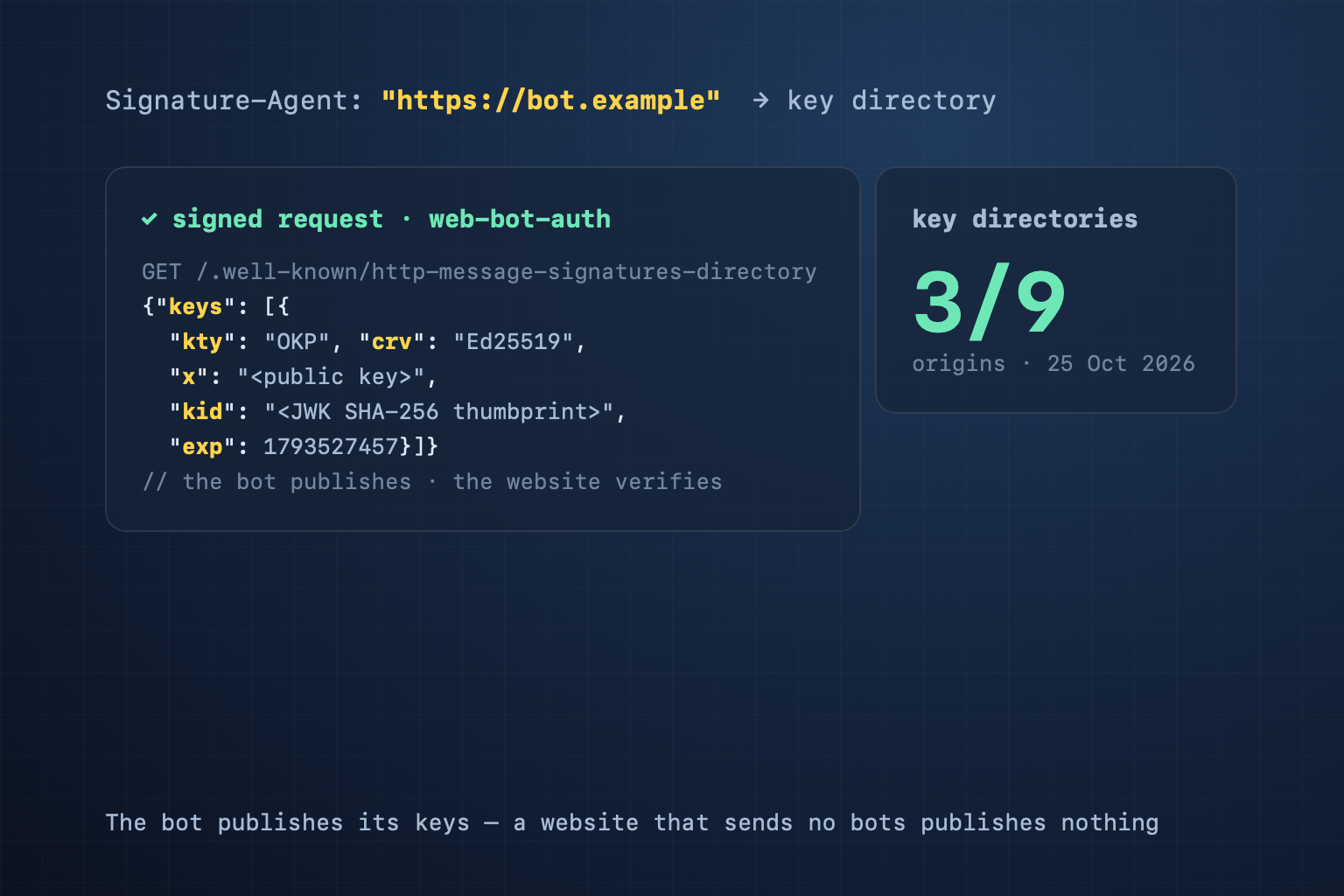
Short answer: Web Bot Auth lets a bot prove who it is. The bot signs each request with HTTP Message Signatures (RFC 9421) and names its key directory in a Signature-Agent header. The bot's operator publishes the public keys at /.well-known/http-message-signatures-directory. Your website publishes nothing: it, or its CDN, only verifies. The protocol is an IETF working-group draft (draft-ietf-webbotauth-httpsig-protocol-00, 1 September 2026). ChatGPT's agent and part of Google-Agent's traffic already sign their requests.
Why a user-agent string is not enough
A user-agent string is text the client writes about itself. Any scraper can send ChatGPT-User or Google-Agent. Sites defend with IP lists and reverse DNS — Google still documents that as the way to verify Googlebot. But AI agents often run in shared cloud IP ranges, and lists go stale. A signature binds the request to a key that only the real operator holds. A site can let the real ChatGPT agent past a bot wall and keep the copy out. See also AI crawlers and our guide to robots.txt for AI crawlers.
Two sides, two jobs
- The bot operator (an AI company, a crawler, a monitoring service) creates a key pair, publishes the public key in its key directory, and signs every request.
- The website verifies: it reads the signature, fetches the directory named in
Signature-Agent, caches it, and decides what to allow. In practice the CDN or WAF does this. Cloudflare and Vercel document support; Google's guide says major bot-detection services, CDNs and WAFs support it.
So the file belongs on the bot's origin. A shop, a blog or a company site that sends no bots publishes nothing, and that is correct.
What a signed request looks like
GET /page HTTP/1.1
Host: example.com
Signature-Agent: sig1="https://bot.example"
Signature-Input: sig1=("@authority" "signature-agent";key="sig1");created=1700000000;expires=1700000060;keyid="<JWK thumbprint>";tag="web-bot-auth"
Signature: sig1=:<signature>:
The rules in draft -00 that matter:
tagMUST beweb-bot-auth.- The signature covers
@authorityor@target-uri, plus thesignature-agentmember it uses. created,expiresandkeyidare required; expiry is RECOMMENDED to be at most 24 hours.keyidis the base64url JWK SHA-256 thumbprint of the key (RFC 7638; RFC 8037 for Ed25519).Signature-Agentis a dictionary:sig1="https://bot.example". The draft says: "Signers MUST send the dictionary form."- The directory is served over HTTPS and answers 200, and verifiers do not follow redirects. If a key in it has a
kid, thekidMUST equal the thumbprint.
We checked 9 origins
On 25 October 2026 we ran the CiteStat scan's judge (packages/core/web-bot-auth.ts) on 9 origins: 3 bot operators with a public key directory, and 6 sites that send no signed bots.
| Origin | Result | Severity |
|---|---|---|
| chatgpt.com | Valid: 1 Ed25519 key, kid = thumbprint, right media type | Pass |
| http-message-signatures-example.research.cloudflare.com | Valid: 1 key; nbf written in milliseconds | Pass |
| agent.bot.goog | 5 Ed25519 keys; each kid is a 6-character label, not the thumbprint | Medium |
| github.com, vercel.com, www.cloudflare.com, developers.cloudflare.com, citestat.com, erpfit.com | No directory — they send no signed bots | Not applicable |
What we found:
- All three directories sign their own response. The draft recommends one signature per key, tagged
http-message-signatures-directory. chatgpt.com's signature lasts 24 hours; Cloudflare's and Google's last 5 minutes. - ChatGPT's key has a rolling expiry. The
expin its directory was exactly 7 days (604,800 seconds) after our fetch. The server writes a newexpon each fetch, so a verifier that caches the directory must fetch it again within a week. - Cloudflare's example writes nbf in milliseconds (1743465600000). A JWK date is in seconds, so a strict verifier reads it as a date about 55,000 years away and never uses the key. Our judge reads the value as milliseconds and adds a note.
- Google's kid labels do not follow the draft. Draft -00 says a JWK at this path that carries a kid "MUST be set to the thumbprint", so a verifier selects a key by matching
keyidagainstkid. A verifier that only compares strings still finds Google's keys; one that checks the label against the key rejects them. Google calls its implementation experimental and tells sites to keep their IP, reverse DNS and user-agent checks. - The draft's own example key has the same problem: its kid is
NFcW…, while the key's thumbprint ispoqk….
The draft and a verifier disagree on one header
The Signature-Agent header has two forms. Draft -00 requires signers to send the dictionary form, and Google does: g="https://agent.bot.goog". Cloudflare's documentation (updated 8 October 2026) follows an older draft (directory-03): the value must be one quoted URL, and "the dictionary form from later drafts" is on its list of reasons verification fails. Until the two agree, a bot that wants Cloudflare to verify it must use Cloudflare's form. If you run a bot, ask which form the CDN in front of your target sites accepts.
What a website owner should do
- Publish nothing. The key directory is the job of whoever sends the bot.
- Turn on verification at your CDN or WAF if you want signed agents to get through (Cloudflare: signed agents and verified bots; Vercel: bot management), rather than writing your own verifier.
- Keep IP and reverse DNS checks. Not every agent signs, and Google signs only part of its agent traffic.
- Keep the two questions apart. robots.txt and Content Signals say what you allow; Web Bot Auth only says who is asking.
What a bot operator should do
- Generate an Ed25519 key and set
kidto its RFC 7638 thumbprint. - Publish the directory at
/.well-known/http-message-signatures-directoryon your HTTPS origin, asContent-Type: application/http-message-signatures-directory+json. Writenbf/expin seconds and sign the response. - Sign every request: tag
web-bot-auth, cover@authorityandsignature-agent,keyid= the thumbprint, a short lifetime (Cloudflare: "A minute is often sufficient"). - Register with verifiers. At Cloudflare: Bot Submission Form → Request Signature, with your directory URL; test against
https://crawltest.com/cdn-cgi/web-bot-auth.
CiteStat's own crawler does not sign its requests yet. It identifies itself with a CiteStat user agent and follows robots.txt.
Our own mistake
Until 25 October 2026 the CiteStat scan asked every site for /.well-known/web-bot-auth.json — a file no draft defines — and counted its absence as a failed Agent Readiness check. citestat.com passed on a file we had made up. The scan now reads the real directory path. A site without a directory gets "Not applicable" and is left out of the denominator. Agent Readiness scores moved with it: developers.cloudflare.com and vercel.com went from 4.4 to 5; citestat.com went from 7.8 to 7.5, losing its false pass.
What CiteStat checks
On the Agent Readiness card the scan fetches the origin's /.well-known/http-message-signatures-directory. A JWK Set with the right media type and at least one usable key (complete public members, kid equal to the thumbprint, inside nbf/exp, no private d) passes. JSON that is not a JWK Set, or no usable key, is medium. Keys that are valid except that each kid is a label, not the thumbprint (agent.bot.goog), get their own medium finding, because a verifier that follows the draft cannot find them. The wrong media type is low. No directory means the check does not apply. The scan does not test whether your server verifies signatures. None of it changes the headline SEO score. You can scan your own site for free, 10 scans a day; if you check client sites every week, the Pro plan gives 100 scans a day for 500,000₫/month (excl. VAT) — see pricing.
Frequently asked questions
Does my website need a Web Bot Auth file?
No, if your site sends no bots. The key directory belongs to the bot's operator. A website only verifies, usually through its CDN or WAF. That is why the CiteStat scan says "Not applicable" for a site with no directory and takes no points off.
Does Web Bot Auth replace robots.txt?
No. robots.txt says what a bot may fetch. Web Bot Auth proves which bot is asking. A site needs both: know that it is the real agent, then apply its own rules to that agent.
Does Googlebot sign its requests?
No. Google's documentation calls Web Bot Auth experimental: only part of Google-Agent's requests are signed, as https://agent.bot.goog. To verify Googlebot, keep using reverse DNS and the IP ranges Google publishes.
Does Web Bot Auth improve Google rankings?
Google's documentation on Web Bot Auth says nothing about rankings; it is about identifying bots. The CiteStat scan counts Web Bot Auth on the Agent Readiness card only; the headline SEO score stays the same.
Sources: draft-ietf-webbotauth-httpsig-protocol-00 (IETF webbotauth, 1 September 2026) · RFC 9421 (HTTP Message Signatures) · RFC 7638 (JWK Thumbprint) · Cloudflare: Web Bot Auth (updated 8 October 2026) · Google: Authenticate requests with Web Bot Auth (experimental) · Google: Verify Google requests. Data for the 9 origins: fetched 25 October 2026.