WebMCP: How a Web Page Hands Tools to an AI Agent
WebMCP lets a page register tools that a browser's AI agent can call. Declarative forms, registerTool(), and what we found on 11 pages.
By — CTO, ERPFit
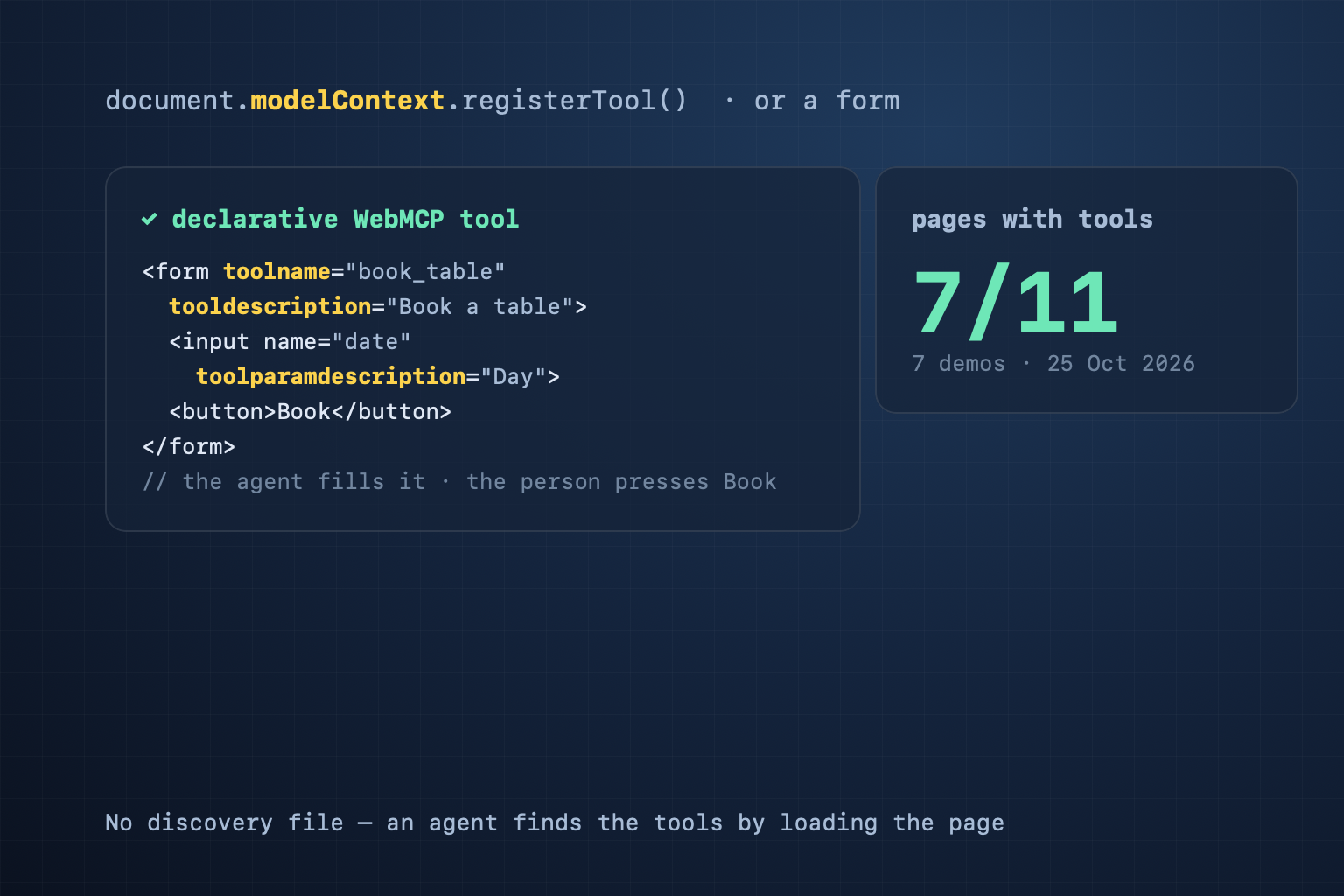
Short answer: WebMCP lets a web page hand an AI agent in the browser a list of tools: a name, a description and a JSON input schema for each action the page can do (search, book a table, add to cart). A page registers a tool in JavaScript with document.modelContext.registerTool(), or marks a form with toolname and tooldescription. It is a W3C Web Machine Learning Community Group draft (Draft Community Group Report, 20 October 2026), not a W3C Standard. Chrome offers it as an origin trial from Chrome 149. There is no discovery file: an agent finds the tools by loading the page.
Why an agent needs tools instead of reading the screen
Today a browser agent uses a website by reading the screen, guessing which box is the search field, and clicking. That is slow, and it breaks when the layout changes. A tool with a name and a schema is a contract: the agent calls book_table(date, time, people), and the page runs its own code, in the person's session, with the person watching. Chrome describes WebMCP as "primarily designed for local browser workflows with a human in the loop". See also Agent Readiness and our post on AI crawlers and JavaScript: crawlers read a page, while WebMCP is for agents that work on it.
Two ways to register a tool
Declarative — add attributes to a form you already have. This is in the explainer and in Chrome, not yet in the spec:
<form toolname="book_table" tooldescription="Book a table at the restaurant">
  <input name="date" type="date" toolparamdescription="Day of the booking">
  <input name="people" type="number" toolparamdescription="Number of guests">
  <button>Book</button>
</form>
The browser builds the schema from the named fields. A field without toolparamdescription is described by its <label>, then by aria-description. Without toolautosubmit the browser only fills the form; the person presses submit.
Imperative — in the spec:
document.modelContext.registerTool({
  name: "search_products",
  description: "Search the catalogue by keyword",
  inputSchema: { type: "object", properties: { q: { type: "string" } } },
  execute: async ({ q }) => runSearch(q),
}, { signal });
The rules that matter:
- A tool name is 1–128 characters: ASCII letters, digits,
_,-and.. Chrome advises at most 30 characters for a name and 500 for a description. - There is no unregister method: abort the
AbortSignalyou passed in. For a form, removetoolnameortooldescription. - The annotations
readOnlyHint,untrustedContentHintandconsequentialHinttell the agent what a call does;consequentialHint: truelets the agent or browser ask the person to confirm. - It runs in a secure context (HTTPS) only. A cross-origin iframe needs
allow="tools"; the headerPermissions-Policy: tools=()turns WebMCP off. - The February 2026 preview API (
navigator.modelContext,provideContext) has been replaced bydocument.modelContext.
We checked 11 pages
On 25 October 2026 we ran the CiteStat scan's judge (packages/core/webmcp.ts) on 11 pages: the 7 Chrome Labs demos and 4 widely used pages. The judge reads the HTML, the inline scripts and up to 5 same-origin scripts; it does not run JavaScript.
| Page | Result | Severity |
|---|---|---|
| Chrome Labs: french-bistro | 1 form tool (7/7 fields described) + registerTool in script.js | Pass |
| Chrome Labs: order-tracking, doors | Declarative forms (1 and 3 tools) | Pass |
| Chrome Labs: pizza-maker, react-flightsearch, hotel-chain | registerTool in a same-origin script (two of them minified React bundles) | Pass |
| Chrome Labs: coffee-shop | registerTool in an inline script | Pass |
| github.com, developer.chrome.com/docs/ai/webmcp | Forms a person fills in; none is a tool | Low |
| citestat.com/en/wiki/agent-readiness (before our fix) | 2 forms, no tool | Low |
| citestat.com (home) | No form to fill in, no tool | Not applicable |
What we found:
- Only the demos have tools. Even Chrome's own WebMCP documentation page has a search form that is not a tool. WebMCP is still in an origin trial, so this is expected — and an opening for the sites that move first.
- Minified bundles still read. In a React bundle the call becomes
e.modelContext.registerTool(; the judge looks formodelContext.registerTooland does not need the worddocument. - A tool registered by a script the scan did not read stays invisible. The result always states how many scripts were read, so you know the limit.
Our own two mistakes
Until 25 October 2026 the CiteStat scan asked every site for /.well-known/web-mcp.json or a <meta name="web-mcp"> tag — neither is defined in any WebMCP document — and counted their absence as a failed Agent Readiness check. All 7 Chrome Labs demos were reported as "No WebMCP support". The scan now looks for real tools. A page with no form and no tool gets "Not applicable" and is left out of the denominator.
The second mistake showed up right after the deploy: the scan of our own /wiki/webmcp page reported "registerTool in 1 script". That script was JSON-LD — the page's description quotes the API name. JSON-LD is data; a browser does not run it. The judge now reads only scripts a browser runs (no type, a JavaScript MIME type, or module).
The scan box at the top of every CiteStat wiki and blog page is now a real declarative tool, prefill_website_scan: the agent fills in a website address, the home page opens with the scan box filled, and the person starts the scan. The form uses GET and has no toolautosubmit, because a scan spends the person's credits.
What a website owner should do
- Start with the forms you already have. Search, booking, contact: add
toolname,tooldescriptionand atoolparamdescriptionon each field. It is a few HTML attributes. - Name the task, not the widget:
search_products, notform1. Use each name on one form per page. - Let the person press the button for actions with consequences. No
toolautosubmiton orders or payments; with registerTool, setconsequentialHint. - Do not create a discovery file. There is none to create; a made-up file only misleads checkers.
- Test in Chrome with the
chrome://flags/#enable-webmcp-testingflag, or join the origin trial.
What CiteStat checks
On the Agent Readiness card the scan reads the page's HTML for forms with toolname and tooldescription, and its inline scripts plus the first 5 same-origin scripts for modelContext.registerTool(. A valid tool passes. A toolname with no description or a bad name is medium (a browser will not register it). Only the February 2026 preview API is low. Forms a person fills in, but no tool, is low. No form and no tool means the check does not apply. None of it changes the headline SEO score. You can scan your own site for free, 10 scans a day; if you check client sites every week, the Pro plan gives 100 scans a day for 500,000₫/month (excl. VAT) — see pricing.
Frequently asked questions
Does my website need a WebMCP file in /.well-known/?
No. No WebMCP document defines a discovery file or a meta tag. An agent finds the tools by loading the page in a browser. Chrome's documentation says it plainly: clients must visit a site directly to know if it has callable tools.
How is WebMCP different from an MCP server?
An MCP server runs on a backend; an agent connects to it remotely and needs its own credentials. A WebMCP tool runs inside the web page, in the person's session, while the person watches. A site can have both; a remote MCP server is found through an MCP Server Card.
Will an agent submit my form on its own?
Only if the form has the toolautosubmit attribute. Without it, the browser fills the form and the person presses the submit button. For actions with consequences (an order, a payment), let the person press it.
Does WebMCP improve Google rankings?
Chrome's WebMCP documentation says nothing about search or rankings; it is about agents finishing tasks on a page. The CiteStat scan counts WebMCP on the Agent Readiness card only; the headline SEO score stays the same.
Sources: WebMCP (W3C Web Machine Learning CG, Draft Community Group Report, 20 October 2026) · WebMCP explainer · Chrome: WebMCP (updated 7 October 2026) · Chrome: Declarative API (25 September 2026) · Chrome: Secure WebMCP tools (1 September 2026) · Chrome Labs: webmcp-tools. Data for the 11 pages: fetched 25 October 2026.